|
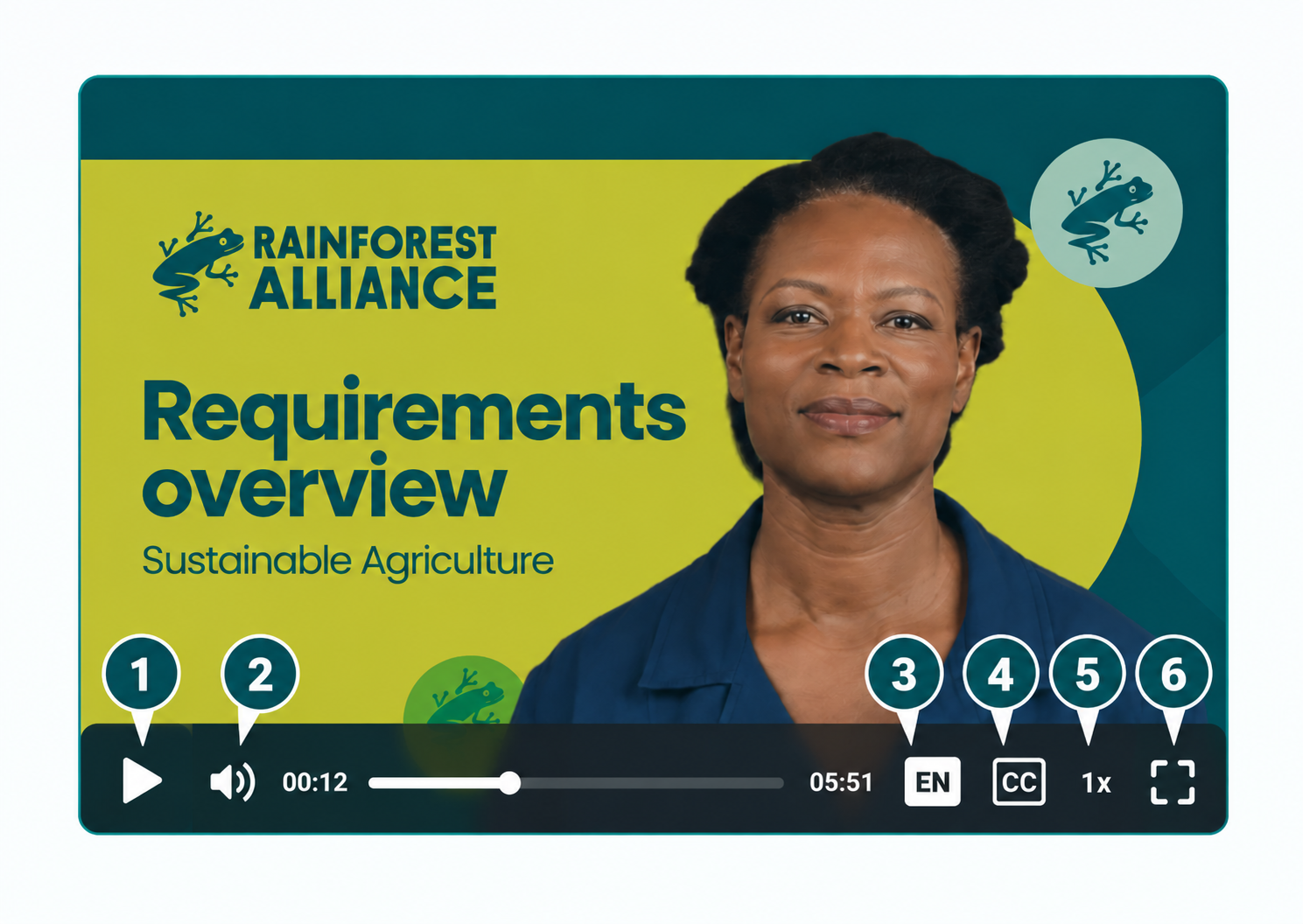
You can control the video using the buttons at the bottom of the player.
 |
Play or pause the video. |
 |
Adjust the volume or mute the video. |
 |
Change the language of the video (see more instructions below). |
 |
Turn subtitles on or off. |
 |
Change the playback speed (if available). |
|
|
Expand the video to fill your screen. |
|
💡 Tip: Subtitles can help you follow the video more easily. Select CC to tun them on or off. |
|

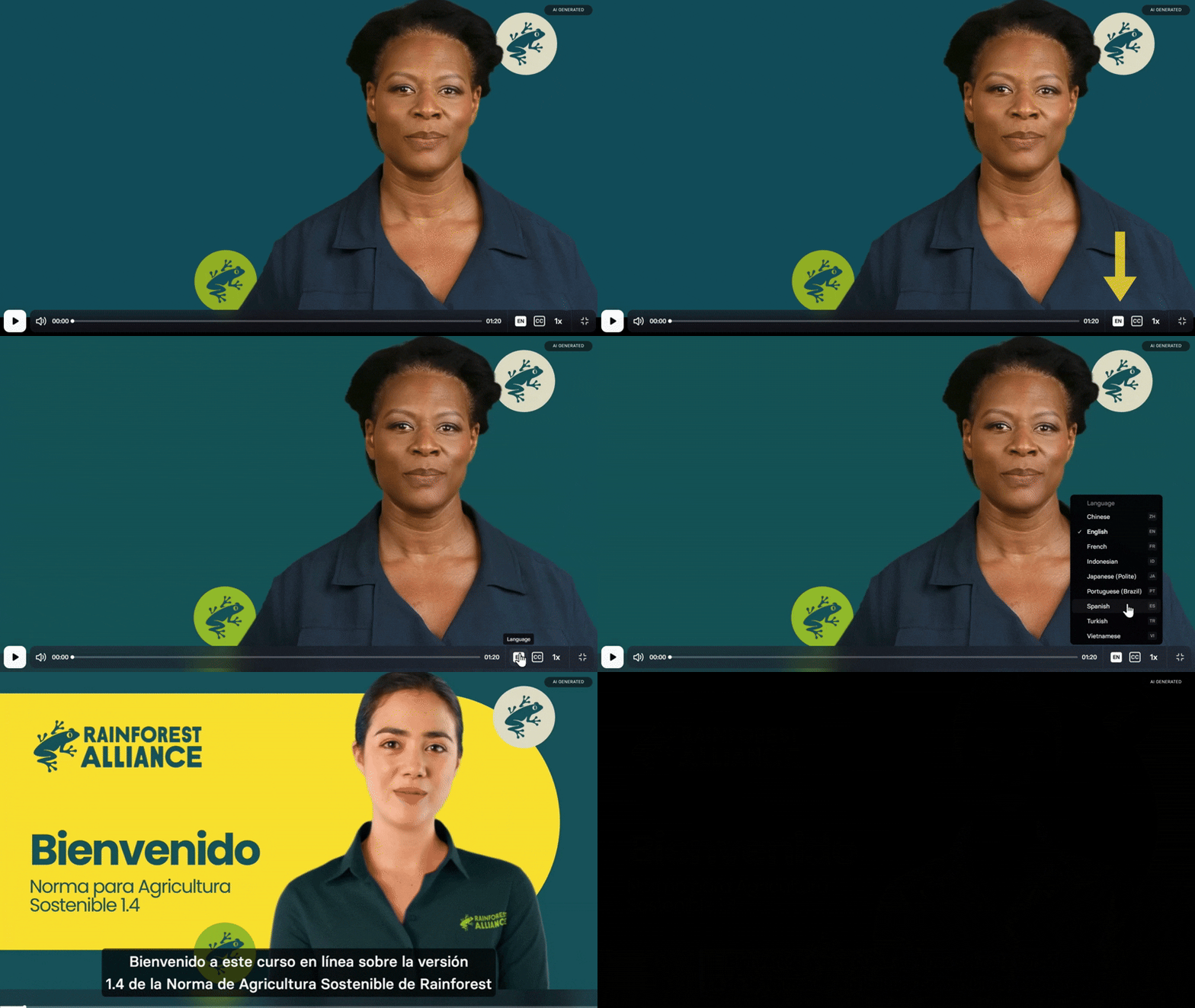
🌍 Watch in your preferred language!
- Click the language button at the bottom right of the video player.
- Select your desired language from the list.
- Play the video to start watching in your chosen language.